- Home
- Security Alerts
- Fake “Windows Security” Virus Pop-Up Scam: What to Do Now
Security advisory
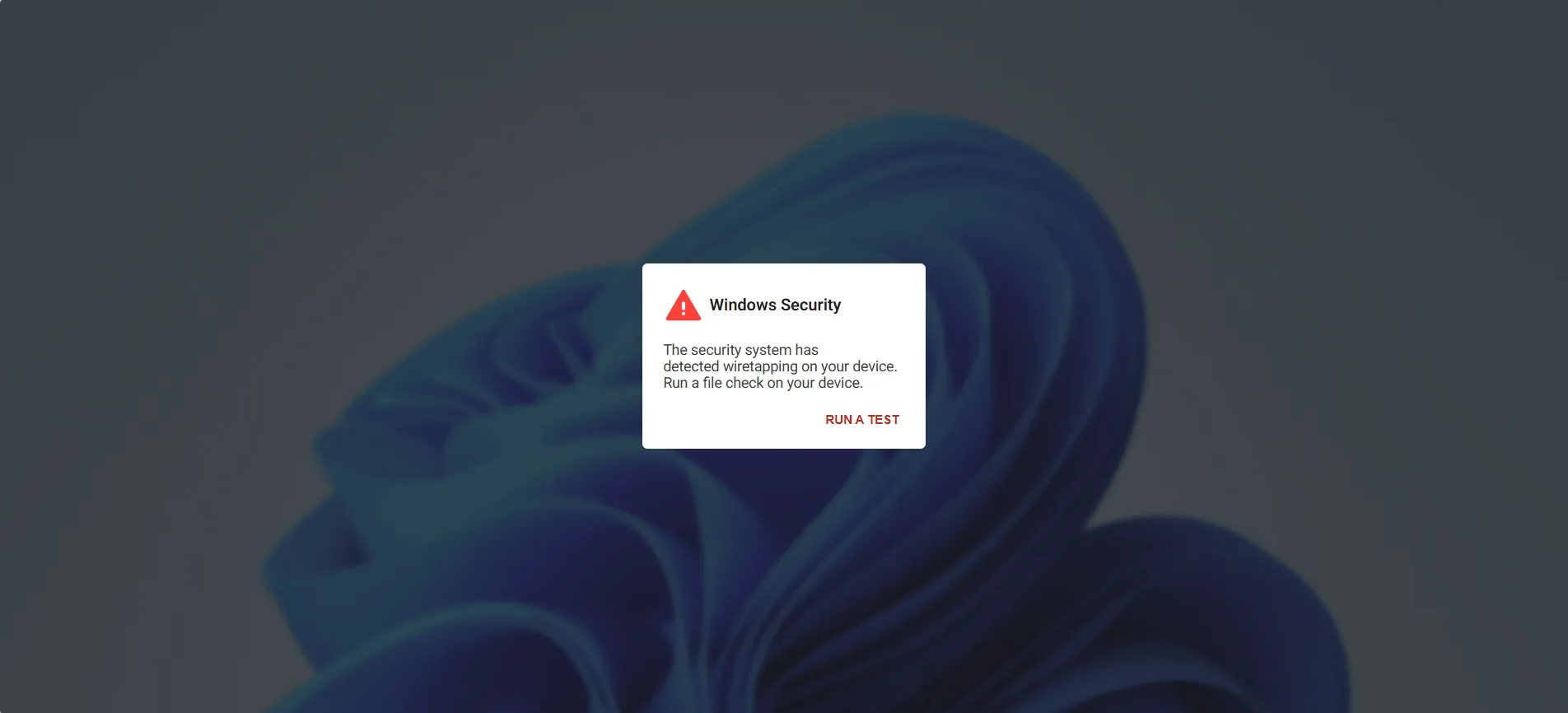
Fake “Windows Security” Virus Pop-Up Scam: What to Do Now
Anyone using an internet-connected computer is potentially at risk, as this scam relies on active internet access to target users.
What to do now
The short version.
Don’t click anything on the pop-up, including buttons that say “Run a test,” “Close” or “Cancel.” Don’t call the phone number on the screen. Close the browser tab. If it won’t close, press Esc to leave full-screen, then close it. If it still won’t close, restart your computer. When your browser opens again, don’t restore the old tabs. Start fresh. Still worried? Run the antivirus that’s actually installed on your computer, or call someone you trust. Already called the number or let someone into your computer? Disconnect from the internet, and call your bank from a different device.
Context
Why this one is worth your time.
These pop-ups are built to look official and to make you panic, so it’s easy to act before you think. The pop-up itself does no harm. The danger starts when you click or call: that’s when a fake “technician” gets into your computer or takes your money for a problem that was never there. Knowing what this scam looks like ahead of time is the easiest way to close it and move on.
- Advisory
An AI didn’t go rogue. It was left holding a mop.
Custom AI systemsAI assistantsAutomation with file accessWho is affectedA client called us in a panic. His custom AI system, call it Marty, looked like it had gone insane. It was babbling about not knowing who it was, files were vanishing, and he was afraid he had been hacked.
- Advisory
How our security alerts work, and what each level means
Everything we supportWho is affectedEvery client. Nothing to do with this one, it explains the other ones.
- Advisory
Restart your browser when the update badge appears
ChromeEdgeWho is affectedEveryone. Browser fixes for actively exploited flaws ship inside routine-looking updates.
No contract required
Want us to check whether this one reached you?
Send us the advisory and roughly what you are running. We will tell you whether it applies to your network, and we will tell you plainly when it does not. Asking costs nothing.